|
|
|
|
|
This software was checked for viruses 5 months ago and was found to contain no viruses.
Click here
to see antivirus report.
|
|
| |
|
|
Video tutorial for Panorama Maker 5.0
|
Review
This is official description
Create perfect panorama images with your photos and videos.Enables you to stitch photos and video frames as panoramas.Export as QuickTime movie, PT Viewer, and Flash files for sharing.Easily print panorama photos with online built-in Print Service.Offer 5 professional photo stitch modes.
The following review written by one of the Software Informer contributors applies to version 4.2
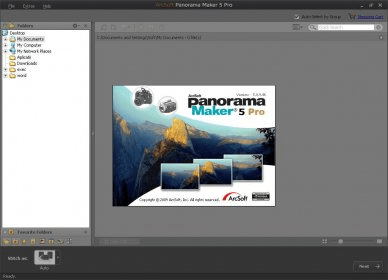
Arcsoft Panorama Maker 4.2 is a useful application for creating panorama pictures from single images. Pictures taken in sequence when capturing landscapes (rooms, installations, etc.) can be used for making panorama output picture files. With these photos saved into a folder, user starts the program. A very clear tutorial teaches the user the best way to take pictures for creating panoramas.
The application automatically detects and selects the usable pictures with a single click, orders the picture group, and offers the possibility of creating horizontal panoramas (like taken with ultra wide angle lens), vertical assemblies for vertically taken pictures, as well as 360º panoramas.
The resulting panoramas can be made from JPG and RAW picture files, and the program supports multi sheet printing and banner paper. The application stitches (overlaps) the selected group of pictures (those automatically detected by the program itself). Automatic organization of pictures is performed right away and a horizontal, vertical or 360º panorama is created, stitching all the selected pictures.
Users can manually add more pictures and call the application to automatically order all of them to match the desired panorama. Users can preview the output panorama, before printing or saving. Manually, users can also refine, crop, frame, etc. the created panorama, to suit the desired preferences. The resulting panorama picture can be saved as a JPEG, TIFF, BMP, TGA, QuickTime (.mov format), Flash (.htm, .html) or PTViewer (.htm, .html) file. |
- Very good automatic picture selection and organization with a single click.
|
|
|
Reviewed by: Ignacio Solves Reviewer rating: Reviewed: 2 years ago
|
What's new in version 5.0
Make it 3D! With ArcSoft's Sim3D™, you can easily turn your regular photos and videos into 3D panoramas. Preview your panorama with 3D glasses and export it to an MPO file for sharing. Supports popular 3D preview solutions: PageFlip, Line Interleave, Checkerboard and Anaglyph. Perfect Panoramas Automatically Enhance panoramas automatically with auto-color balance, auto-brightness, and auto-exposure. Auto-Dynamic Lighting is included to compensate for unfavorable lighting conditions by brightening underexposed areas, balancing overexposed sections, and improving the dynamic range. Faster Panorama Stitching with CPU and GPU Technologies With CPU and GPU optimization using AMD's OpenCL™ and NVIDIA CUDA, as well as Intel OpenCL partly, ATI Eyefinitiy, stitching speed is faster than ever, without sacrificing the final quality. View your Panoramas on Multiple Displays With ATI Eyefinitiy technology, you can expand your panorama across multiple screens as if it were one, large display. Powered by ATI Radeon™ graphics, this offers you a panoramic viewing experience unlike any other. |
|
Report a wrong version
Report a wrong program title
Suggest a correction
|
Screenshots
All 9 screenshots |
|
|